
To ensure that Trello doesn’t bombard your inbox with notifications, here is how to turn them off in 4 easy steps.
Step 1:
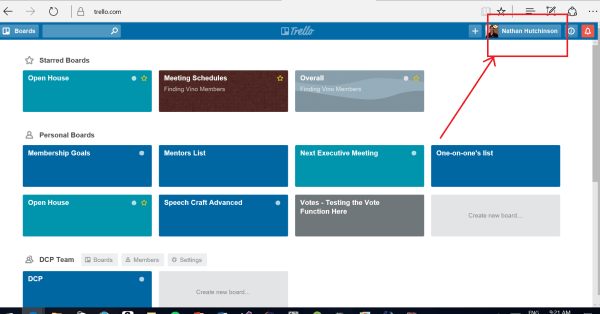
Click your name in the top right
Step 2:
From the drop down menu, click settings

Step 3:
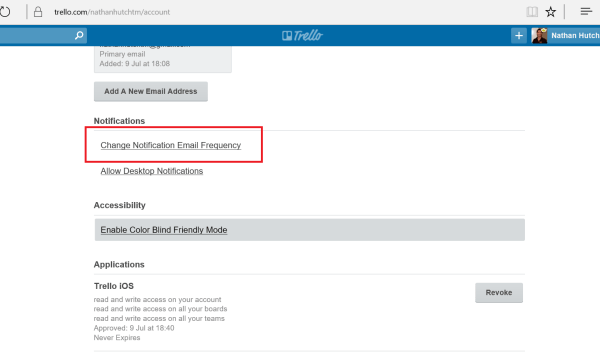
Scroll down and click the button that says Change Notification Email Frequency
Step 4:
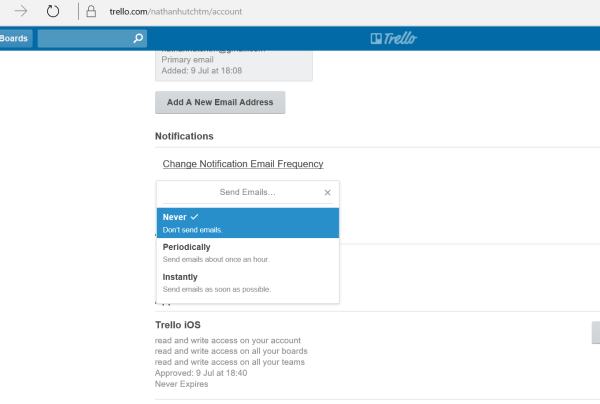
Click Never from the drop down menu
That’s it, you will no longer get emails from Trello
If you want to find out what has happened on the board, simply click the notifications icon in the top right corner:


 Finding Vino Toastmasters